Have you ever stared at a closet full of clothes, yet you felt like there was nothing to wear? Often, the problem is that you can’t pick clothes that fit well or complement each other. The promise of AI clothes changer apps is a new revolutionary technology that can help.
These apps are changing the game on how you solve the daily puzzle of color, proportion, and style. That said, not all AI clothes changer apps are built equally. Some merely change their clothes for photographs. At the same time, others are the real game-changing solutions to avoid a wardrobe of mismatched pieces.
This article would rigorously test a range of AI clothes-changing apps to help you understand which apps deliver and which simply offer a new way to view the same old problem.
Are AI Clothes Changer Apps Worthwhile?
AI clothes-changing apps are an umbrella term referring to a wide range of styling solutions that change the clothes in a picture. These apps often use the groundbreaking technology, artificial intelligence, to replace clothing in your photograph. Also, they all usually follow the same sequence; when you upload your picture, the AI intelligently analyzes your body shape, pose, and lighting.
Then, based on your input, which could be a detailed text prompt, pre-set style, or even clothes from an e-commerce store, it would generate new clothing draped around your form. The result is a natural-looking image with the new outfit.
Looking at this process, you might think all AI clothes changer apps do the same thing. But they don’t. Here’s how they further group into different parts of the puzzle.
- Photo editing apps or swap tools: These overlay single new garments onto your body to help you take stunning photographs. They focus on single items, offer no guidance on pairing, and merely answer the question ‘how do I take a photo with a different cloth I don’t have physically?’
- AI outfit generators: They generate new outfits based on your text prompts. The idea is to provide inspirational head-to-toe looks.
- AI styling and recommendation platforms: Analyze your profile and suggest looks tailored to your taste. Some of these might even connect to e-commerce stories to help you look at how these suggestions look on your natural body. The goal is to use them to check items before purchase.
- Digital wardrobe managers: You can use them to mix and match clothes to visualize combinations, whether from your existing closet or from e-commerce stores.
Our Top Picks: AI Clothes Changer Apps
Now let’s talk about the different AI clothes-changing apps, ranging from tools that function as clothes photo editors to outfit stylers and virtual fitting rooms for trying on dresses online.
Best Photo Editing & AI Outfit Generators
1) MimicPC AI Clothes Changer
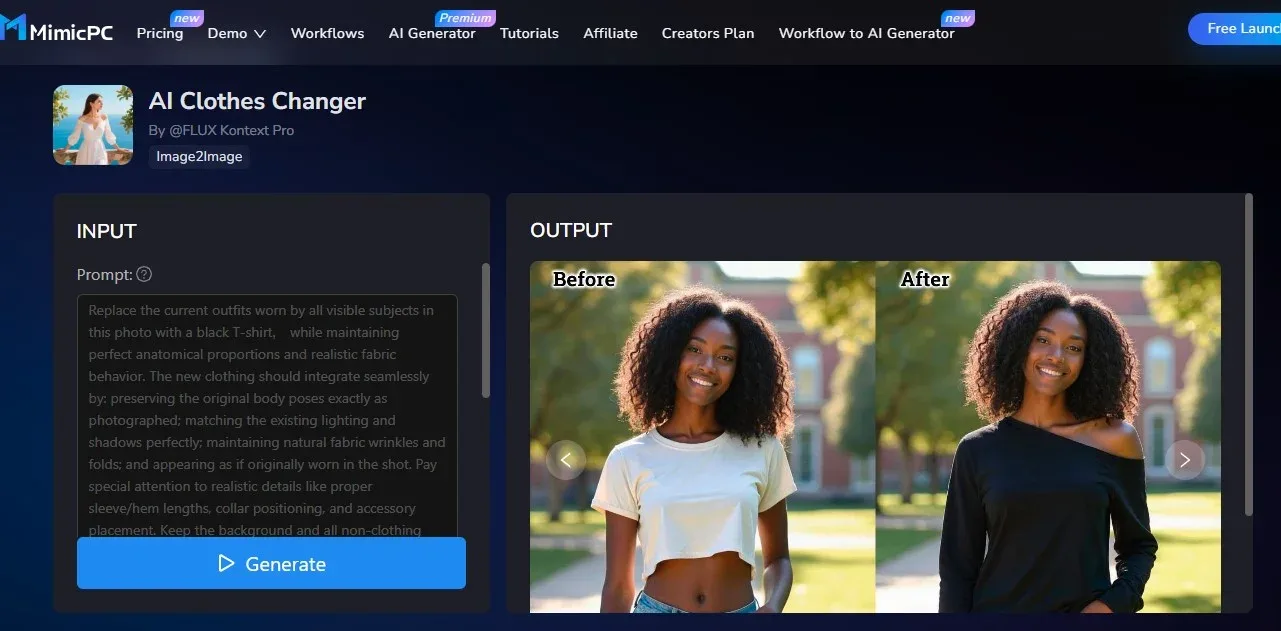
MimicPC AI Clothes Changer is a fantastic virtual app that lets you use text prompts to visualize your clothes inspirations. Besides its random outfit generator, you can also create a virtual wardrobe of any outfit you can imagine.
Editing happens automatically as MimicPC’s advanced AI automatically detects and places clothes on your person. Beyond that, you can even change clothes on multiple people’s clothes within the app, especially when taking a coordinated look for a group photo. Beyond that, the entire tool is browser-based, making professional-grade editing accessible to anyone. That said, MimicPC is best suited for creating product mockups or generating new photos with any clothes you’ve imagined.
Features
- Automatic photo editing: It detects clothes and your pictures and handles complex details like shadows, body posture, lighting, and more.
- Text-prompt photo editing: You can use simple text prompts with unlimited creative control to create custom clothes for your photos.
- Group photo editing: You can change outfits for multiple people within a single image without requiring professional skills.
- Video effects: MimicPC also has a dedicated tool for creating dynamic video effects from static images.
Pros
- Works entirely online and web-based without the need for apps.
- Cost-effective photoshoots save time and money.
- The platform is super easy to use, and you can download multiple photos in endless outfit combinations.
Cons
- You need super high-quality, well-lit images for your input.
- Text prompts for highly specific designs require lots of practice.
- It’s not suitable for trying on clothes you want to buy or putting outfits together.
2) Fotor
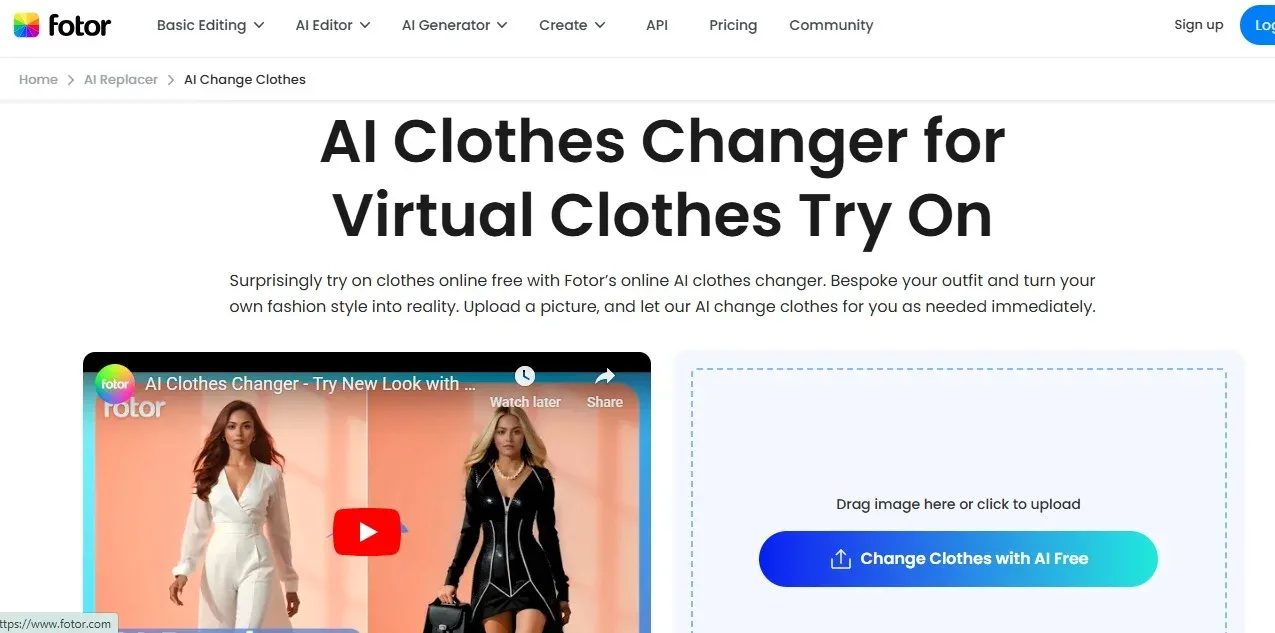
Fotor is more of a general AI photo editing and design tool. So, it’s designed to enhance your pictures. However, besides elevating your photos, you can also try on different clothes with its AI random outfit generator. First, you have a library of pre-set styles for quick swaps. Then, you can also provide text prompts for creating custom outfits.
That said, the clothes changer app is integrated into Fotor’s larger ecosystem of powerful photo editing apps. So, it’s not directly meant to check out shopping recommendations. Still, most people love Fotor because of its generous free clothing swaps you can make without immediately subscribing to the app.
Features
- Virtual try-on with preset options: Fotor lets you upload a photo and see how it looks on a variety of preset clothing categories, including tops, bottoms, complete outfits, and more.
- Text-based prompts: You can input text prompts to describe designed clothes, colors, and textures.
- Hands-free editor: With simple commands, the AI automatically handles the tasks of preserving your backgrounds, making the pose better, and blending new clothes.
Pros
- You can make outfit changes on photos without design skills and in a variety of styles.
- The prompt-based system allows users to quickly explore limitless styling ideas.
- In addition to AI tools, Fotor offers other photo-editing features, such as background removal and collage makers.
Cons
- You need high-resolution photos to achieve fantastic results.
- Often, the tool can’t get as granular with the lighting, pose, and other intricate details that professional designers need.
- There is no doubt that the free plan is generous.
- I have to deal with tons of ads and watermarks.
3) YouCam Makeup
YouCam Makeup is an AR makeup and beauty editor. It allows you to see a realistic view of your makeup and facial features. That said, there’s also a clothing feature for checking preset full outfits. This tool operates entirely online, and you’ll have access to an extensive library of pre-set complete outfits.
You can also use text-based prompts to make detailed custom clothes and drape them over your frame. YouCam Makeup is fantastic for individual portraits. You can also use it to check how different colors and tones look on you, but that requires transforming your actual clothes into prompts.
Features
- Beauty and photo editor: It’s fantastic at enhancing makeup and skin in your selfies and portraits without requiring professional skills.
- Augmented reality: You can see how complete outfits look on you by checking your clothes from all angles, but designed for realistic photo shoots.
- Photo and video enhancements: It allows you to use AI to automatically blur images, reduce noise, upscale low-resolution content, restore old pictures, and more.
- Outfit try-ons: You can virtually try on outfits using its preset library alongside detailed text prompts to make professional portraits.
Pros
- Highly realistic AR try-ons that set the app apart.
- Wide range of makeup, photo editing, video enhancement, and generative AI features at your disposal.
- Generous free version to try out many features.
Cons
- Some outcomes would look "unnatural" and overly “clean.”
- The AI generation isn’t as perfect yet and can trigger “inappropriate content” warnings when you least expect.
- You’ll have limited control over manually adjusting some details.
4) Airbrush
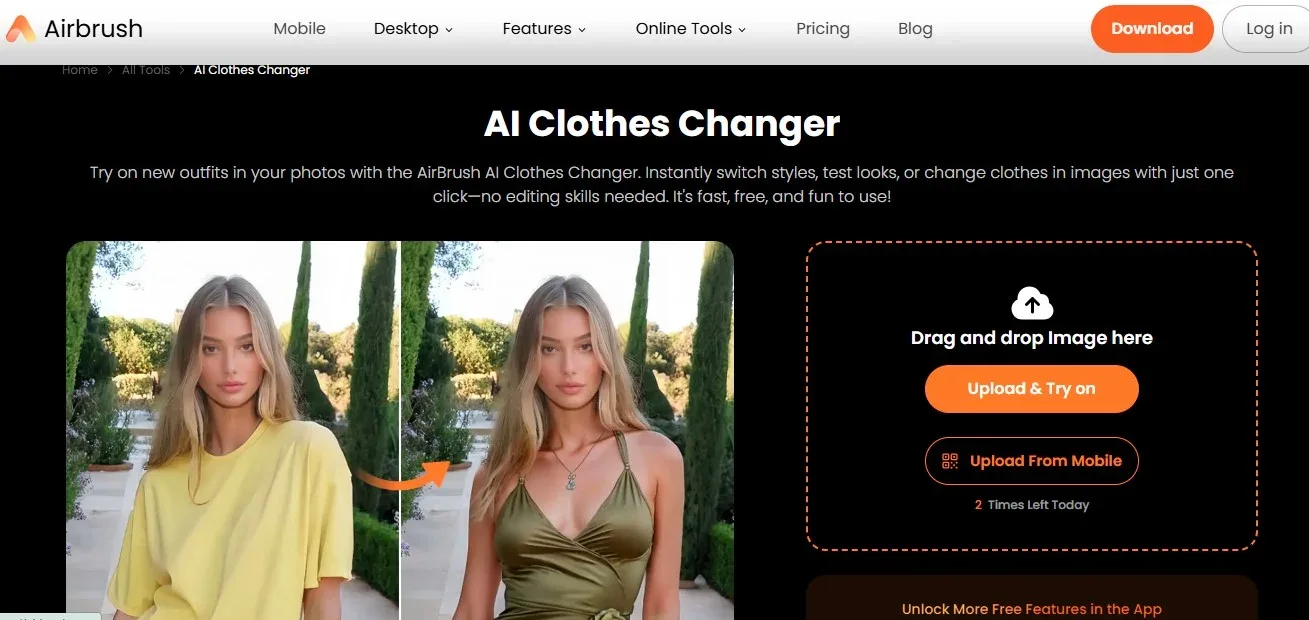
Airbrush also has an AI clothes changer and is a virtual try-on tool for instantly switching styles and looks. With it, you can change clothes in your image, especially for taking impressive photoshoots. You’ll find it easy to use, without any formal editing skills.
Also, the platform comes with a host of preset clothes that you can use with fantastic results. And there’s also the option to create custom clothes based on your text prompts for personalized items as well. That said, Airbrush is more beneficial to people who want to have fun and experiment with new looks using only a few buttons.
Features
- Accessible photo and video editor: Can use filters, skin smoothing, replace objects, change background, among other things, either on the web or mobile.
- AI clothes changer: You can instantly swap outfits on your photos using preset styles or text prompts.
- Portraits maker: Airbrush is most suitable for making natural-looking edits to your portraits and fashion edits.
Pros
- Friendly and fast for mobile users who want to make their photos look better.
- The background removal and general retouching often lead to very realistic photos.
- The user interface is very friendly for beginners.
Cons
- Look out for glitches and server issues that might alter the outcomes of your editing.
- Lacks the depth for pro-level editing.
- If you’re using the desktop, the features don’t happen in one place and are split across different web pages, which can be confusing.
5) NewBlack AI
NewBlack AI is also a virtual fitting room. However, it’s more suitable for designers and brands to quickly generate, visualize, and prototype clothes. Users can generate detailed fashion designs from simple text descriptions or image prompts. That said, it’s not focused on preset styles.
Instead, it allows you to mix and match diverse accessories and garments, look at unique styles, colors, and patterns.
Plus, designers don’t have to use their own photos for the conceptualization. This tool has a robust suite of AI models to illustrate different body types. Because of its robust suite of try-on features, only professionals can really get the best out of it.
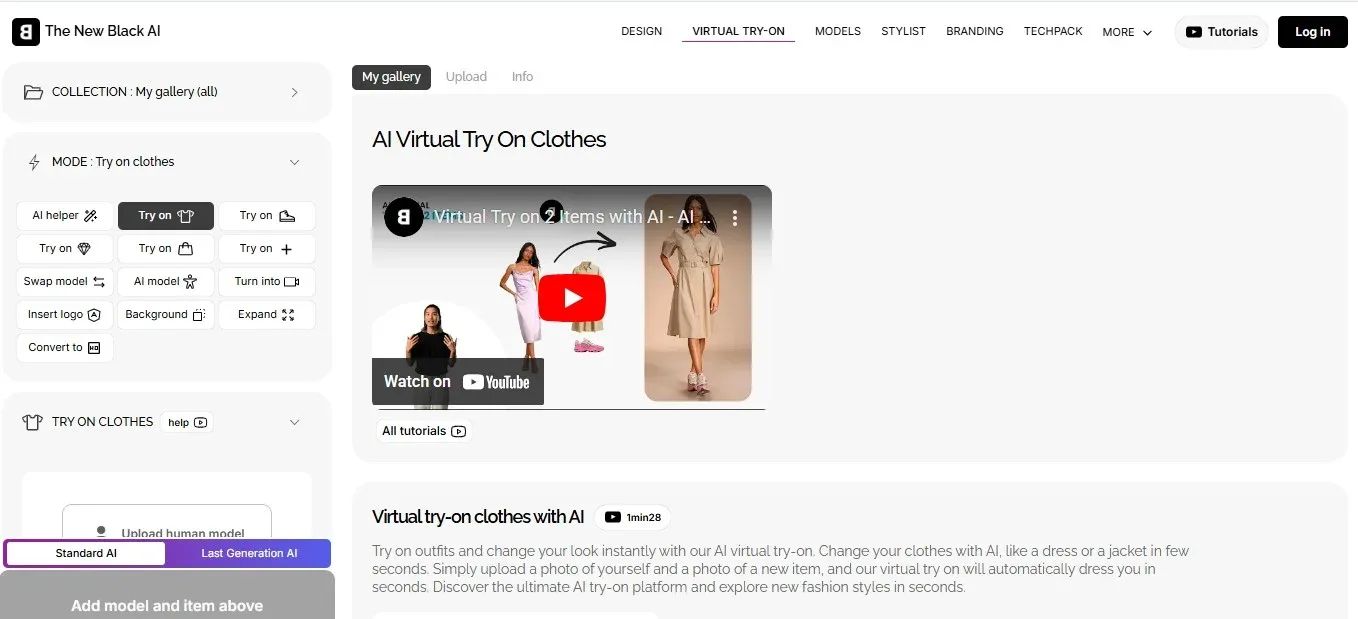
Features
- Text to Image 3D: Create detailed designs based on simple texts and even transfer variations from existing images and styles.
- Virtual try-on: Render designs on virtual models for lookbooks and presentations, and everything looks pretty photorealistic.
- Sizing recommendations: You can also suggest optimal garment sizes, which helps reduce returns.
Pros
- AI suggestions and personalizations help stimulate your design creativity.
- You can access suggestions to predict future trends in the fashion industry.
- Virtual try-ons and sketch conversions.
Cons
- Because the tool relies a lot on AI, the design aesthetics are usually homogeneous.
- You might experience errors and glitches with the system from time to time.
- There’s a learning curve for using its wide range of tools.
Best AI Virtual Fitting Room and Single-item Try-on Apps
6) FitRoom
FitRoom is an AI-powered virtual try-on and digital wardrobe. With it, you can realistically try out your outfits. All you need is to upload your photos and change clothes on them with ease. These clothes can be from any source, including your wardrobe or different online stores.
You can also save outfits and styles as inspiration in a digital closet for anytime you need. This technology also works on any device, whether it’s a smartphone, tablet, or computer. Remember, it’s an AI fitting tool that uses static images. So you won’t see the outfits in motion and from all angles. This means you can’t see how the outfit moves, drapes, or looks from different angles. Fitroom is better for shoppers and e-commerce brands looking to virtually try on clothes they want to purchase confidently.
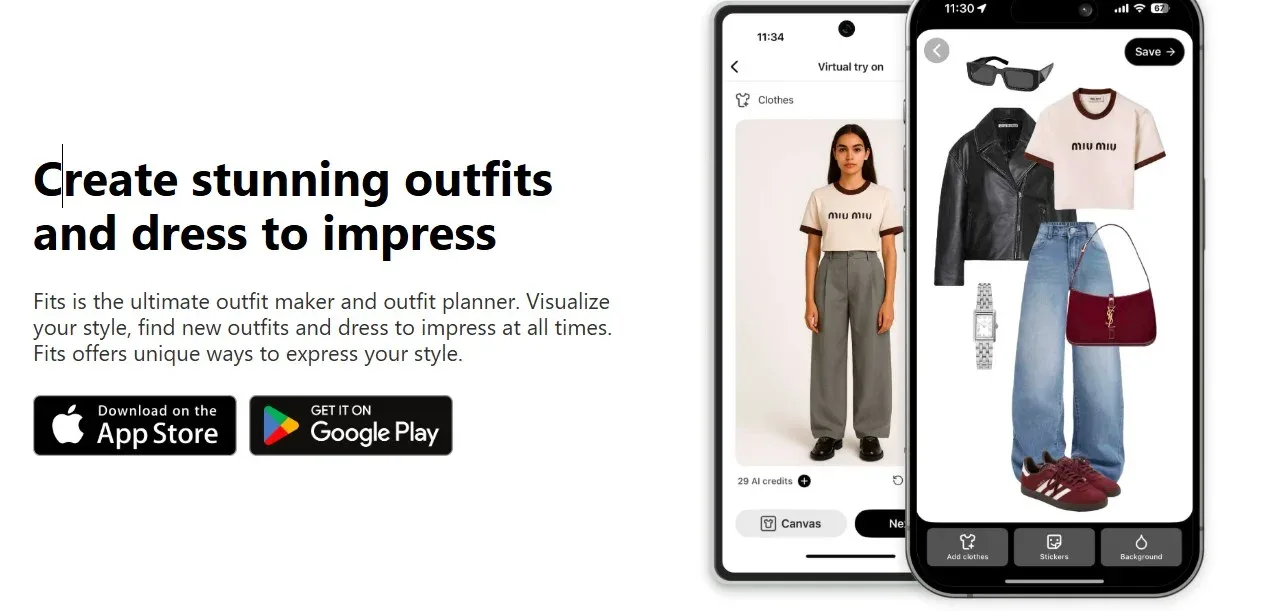
Features
- Realism & Accuracy: It uses real clothes images while preserving their textures, wrinkles, and lighting. This helps you to see all the details that matter.
- Customization: You can upload any clothing image and mix and match items from different brands and your personal wardrobe.
- Extensive model selection: Sellers and designers can also use Fitroom’s diverse models to showcase products.
- Mix and match outfits: Users can combine different tops, bottoms, and others from a preset library or their uploads to create and preview complete outfits.
Pros
- Your images won’t be stored or used for AI training and are automatically deleted after processing.
- Super user-friendly, and you’ll see all the details that matter on your clothes.
- You can also create fantastic photos.
Cons
- The results are static images, so you won’t see movement or view the outfit from different angles.
- You might still face some inconsistencies with certain garment types.
- Best results would still require well-lit, clear model and clothing images.
7) Miragic
Miragic is also a fantastic virtual fitting room where you can try on as many clothes as you want from diverse e-commerce stores. It’s suitable for getting the best ideas for yourself on date night or any occasion. You can also use the platform to create custom fashion visuals featuring real clothes for photo shoots.
And beyond that, Miragic would also provide personalized outfit recommendations based on your actual body through the photos you uploaded. Therefore, this AI clothing changer app is an outfit generator and virtual dressing room in one app. One thing you’ll love is that the app can be used by individuals and businesses alike.
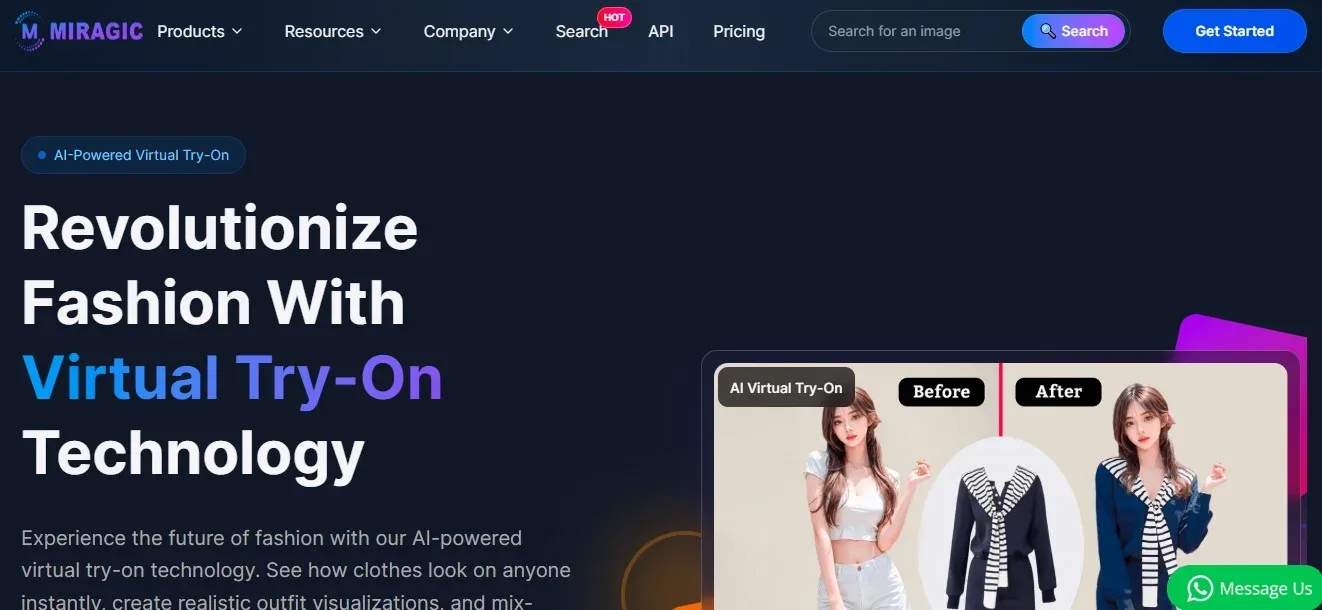
Features
- Virtual try-ons: Allow users to visualize how different outfits and accessories look on their photos with high realism.
- Outfit generator and changer: Enables mix and match clothing items, adapting to any outfit. You can also create images from descriptive text prompts and support them with various styles.
- Photo editing: You can clear image backgrounds and make corrections to images, which is beneficial for product photography and content creation.
Pros
- You can look forward to high-quality results in seconds, which is ideal for your shopping needs.
- Delivers professional-grade images suitable for commercial and print use.
- It can be used by personal shoppers alongside e-commerce businesses and fashion influencers.
Cons
- Optimal results depend on the high-resolution photos used initially.
- There’s no live AR, which means you can’t see how the cloth moves or from all angles.
8) Google’s “Try On” Tool
It isn’t possible to talk about virtual try-on tools without mentioning Google's unique product. It uses a custom-fashion generative AI and augmented reality to help you look at how different clothes appear on different body shapes. Users in the U.S. can upload a selfie, and the Gemini AI model may generate a full digital version of you for your personalized try-on experience.
Then, using that digital “you” version, you can mix and match tops, bottoms, dresses, and shoes. That said, there’s a preset number of models there as well, ranging in sizes from XXS to 4XL. Besides this, there are also other “try on” integrations that Google has equally designed for trying out lipstick, foundations, and full makeup looks.
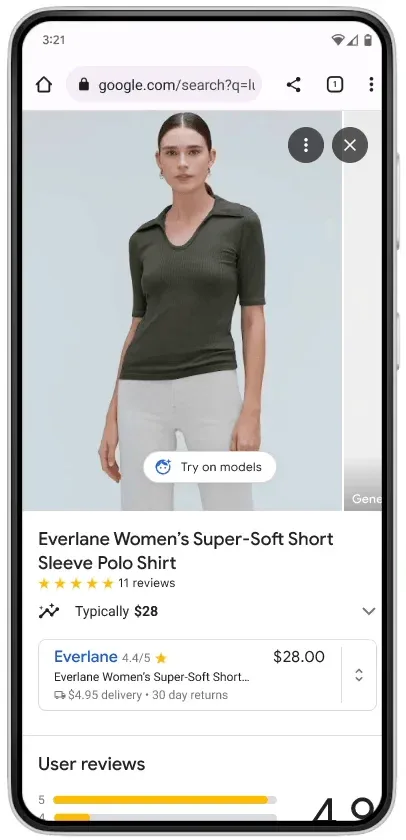
Features
- Virtual try-on for apparel and makeup: Users can see how billions of clothing items and makeup shades look on themselves before shopping
- Generative AI: You can make custom images that understand clothing nuances, such as how different materials fold, stretch, and drape on various bodies.
- Integration: The “Try on” feature integrates beautifully into Google search outfits and Google shopping product listings, making it accessible during your shopping experiences.
- Pre-captured models: Without uploading your photos, Google also provides a range of models, of varying skin tones and body shapes, to view the clothing items on.
Pros
- You can personalize based on body size, face shape, and individual skin tones.
- Pretty accurate for clothing of varying textures and draping.
- The tool is presently free, and you can even leverage the separate Doppy App for more results.
Cons
- Accuracy issues might happen when working with complex patterns or laid clothes.
- Google Try on is only currently available in the U.S
- You can’t entirely guarantee actual fit. You still need to check size charts.
Best for Complete Outfit Coordinating
9) MakeOutfit
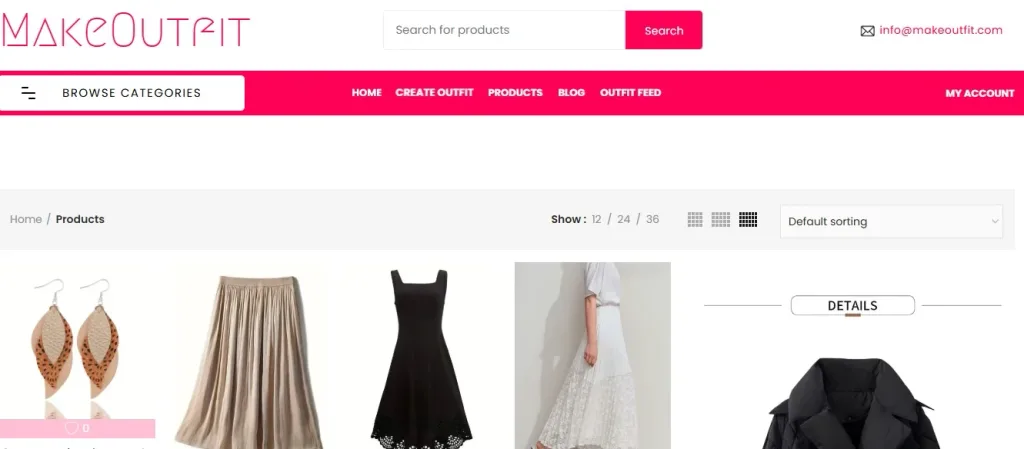
Here’s a virtual try-on tool that completely redefines how you build your wardrobe. Plus, you don’t need a personal stylist to put together complete outfits any longer or from scratch. On MakeOutfit, users can upload their photo once and try on tops, pants, jackets, and shoes altogether on their own body.
This amazing tool would also provide AI suggestions based on fashion trends, your personal preferences, and the season. You can also use MakeOutfit’s curated feed on the website for additional insights on the clothes that are currently popular among other members. Beyond that, MakeOutfit connects you to a variety of e-commerce stores where you can purchase the clothes you desire with ease.
Features
- Outfit creation: You can browse through a wide array of clothes from various brands and create your own outfit ideas or collages.
- AI styling: Besides AI suggestions, you can create mood boards and use AI for virtual try-ons with your selfies.
- Popular and independent brand discovery: MakeOutfit also helps you access both popular and independent designers and small boutiques. It’s the ideal setup for anyone looking for one-of-a-kind items not found on major retail sites.
- Inspiration feed: Besides the MakeOutfit app, which is being created, the website allows you to see the “outfit feed,” where you can get ideas for current trends and outfit combinations. Users can also share the looks they create on the platform.
Pros
- The platform is super easy to use for browsing and creating outfits for your wardrobe.
- You can find unique and less common fashion pieces from independent brands.
Cons
- Currently, most items on the platform are available directly from partner inventory.
10) Acloset
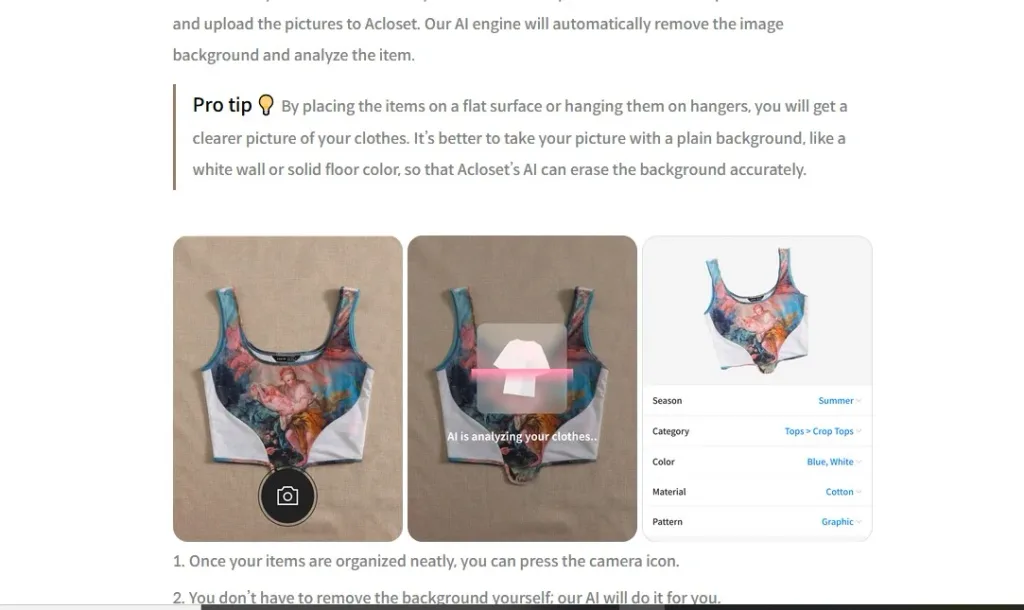
Acloset is also a famous digital wardrobe organizer that provides both AI personal styling and a virtual fitting room for your desires. Here you can provide information on the type of clothes you like, and Acloset will suggest clothes for you and help with coordinating your outfits.
The suggestions on this app are pretty good. However, you won’t be able to upload a virtual try-on image of yourself or really see what the outfit looks like on a realistic version of yourself. That said, it does a decent job of providing outfit suggestions based on weather and occasion.
Features
- Digital closet: Upload photos of your clothes and create a virtual inventory for tracking and scheduling.
- Outfit planner: Mix and match items based on specific days or events, and even integrate with your calendar.
- AI styling/recommendations: Access AI-generated outfit ideas or personalized styling advice.
Pros
- Identify items you need to complete outfits and style your closet productively.
- Discover new combinations and use items you forget you own.
- Track your wardrobe and get more value from the clothes you already own.
Cons
- Mainly relies on adding your existing clothing items, which can be a lot of work.
- Advanced features like AI styling and unlimited items require a paid subscription.
Using GPT models to Swap Clothes on Your Pictures Versus Dedicated AI Clothes Changer Apps
One question you might ask is: why use these dedicated AI clothes changer apps when your generative AI models can already help? No doubt, these models like ChatGPT-4o can create or edit images from text prompts. And they excel at generating brand-new creative fashion concepts from scratch. However, for precise virtual try-ons, they have significant limitations because they regenerate the entire image, often altering the model’s face, pose, or the garment’s exact details. Dedicated AI clothes changer apps, in contrast, like FitRoom, MimicPC, or MakeOutfits, are designed for the specific task. They use technology designed to swap clothes while preserving everything else with impeccable accuracy.
Picking between AR-fitted Try-On vs Virtual Photo Editors
AR (Augmented Reality) Fitted try-on apps use your device’s camera to overlay clothing onto your live reflection or video in real time. Think of it as a high-tech interactive mirror. In contrast, many AI clothes changer apps work on static images you upload. You provide a photo and the AI digitally composites a new outfit onto it. This method gives you more control as you can use any photo, and it’s not limited to what you can capture live.
How to Choose What’s Best for You?
Your choice of an AI clothes changer app depends entirely on your goals. You can always brainstorm wildly creative outfits from a text idea, a GPT model, or other sources as a powerful starting point. However, if you want to accurately visualize a real garment you might buy for your own body, you need a dedicated AI clothes changer.
For a fun, interactive dressing room experience, look for an app with real-time AR try on. And when all you want is to create a perfect, shareable image of an outfit, you need a virtual photo editor that offers the most control. That said, if you want suggestions on mixing and matching clothes while virtually trying them on, you need apps like MakeOutfit.